

Features
miphu brings sales and customer service, finance and bookkeeping, stock and production, working time, documents, insights and your team together in one app. You switch on modules such as stock and production when you need them. Every module runs in the native app on iPhone, iPad and Mac and in the browser on your computer.
Runs oniPhone · iPad · Mac · Browser
Sales
- Leads and customers
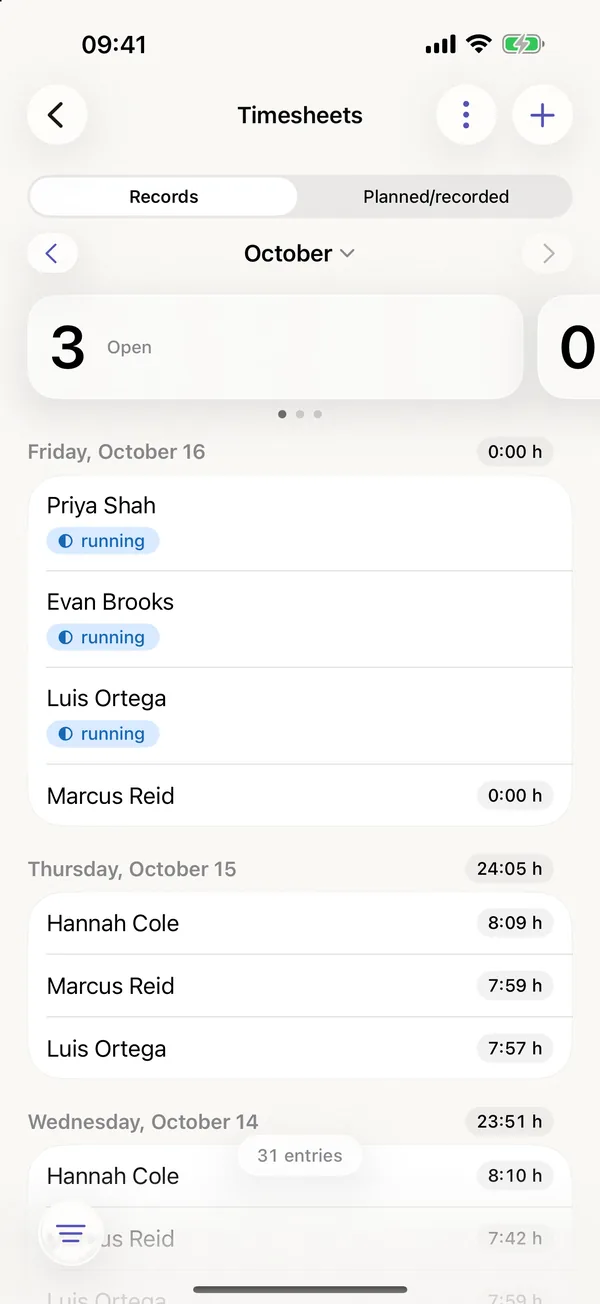
- Leads, customers and contacts sit in one place with their tasks, notes, activities and files. A lead moves through its stages until it is won or lost, and search and filters work across thousands of records.
- Lead sources
- For each lead you note where it came from: website, referral, Google, trade show or a source of your own. The lead list filters by source, and the insights report on each one.
- Customer service
- Customer requests become tickets with their history, created from an email to your inbound address or by hand, and miphu files replies that carry the ticket number by itself. You answer from your own mail app, with a draft from your AI agent if you like.
- Quotes and orders
- Create quotes as PDF files with your logo, with optional line items and alternatives that do not count towards the total. An accepted quote becomes an order, and an order leads to a delivery note and an invoice.
- Price lists
- Set customer prices, price lists and tiered prices once, and miphu puts the right price into quotes, orders and invoices.
- Post-calculation
- The post-calculation of an order sets the material and the labour cost of the recorded hours against the revenue, with the contribution margin.
- Import
- Bring existing customers, leads, contacts, suppliers and articles in from a CSV or Excel file. miphu checks every row and shows duplicates before anything is saved.
Finance
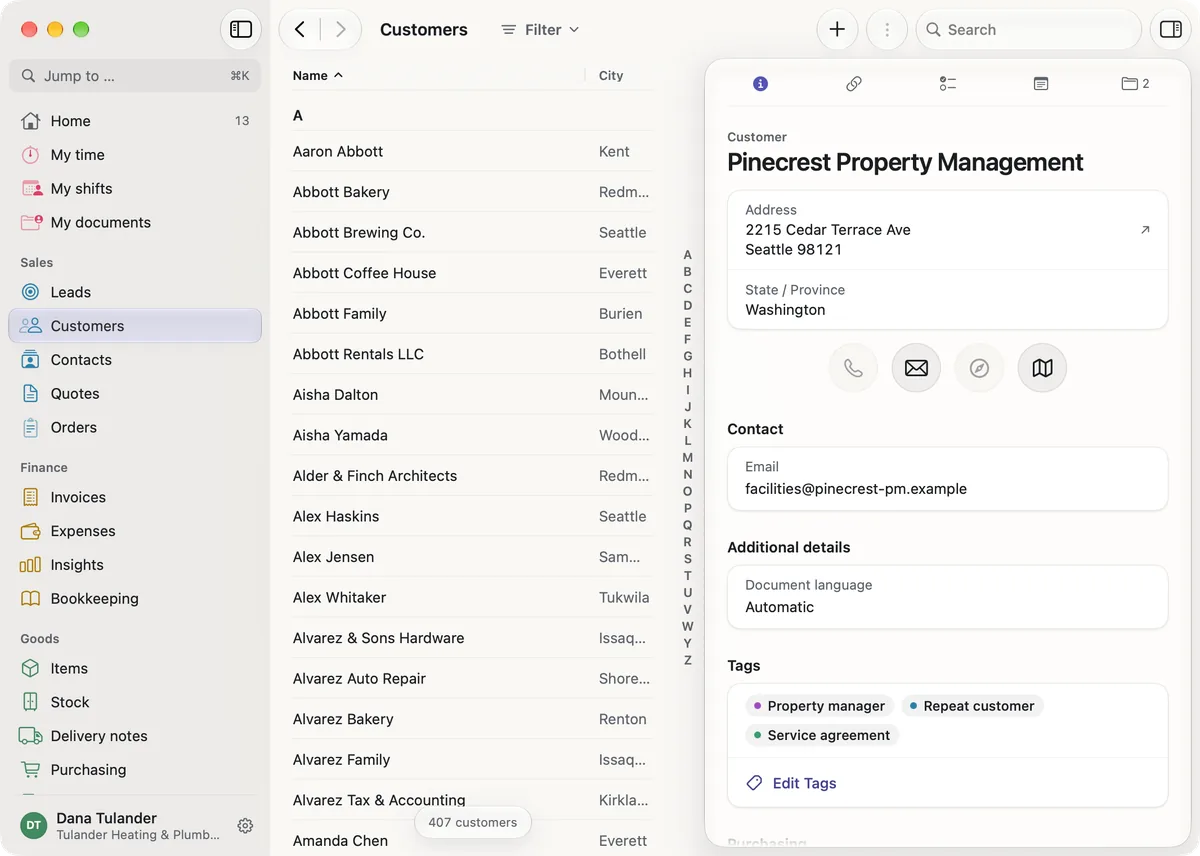
- Invoices and payments
- Issue invoices as PDF files with your logo, and record payments against each invoice, in full or in part, also with an early payment discount. You correct an issued invoice by line or by amount, under a number of its own.
- Progress and final invoices
- From an order you issue down payment and progress invoices by percentage, by amount or by progress per line item, and the final invoice deducts them. Partial final invoices, retention and the collective invoice across several orders and delivery notes come with it.
- GiroCode and direct debit
- Invoices in euros with an IBAN in the SEPA area carry a GiroCode next to the payment details for your customer to scan with their banking app. If your customer has given you a SEPA mandate, you collect due invoices by direct debit, and miphu creates the file for your bank.
- Reminders and recurring invoices
- Overdue invoices get up to three payment reminders, with a reminder fee and late payment interest, and a reminder hold pauses them for an invoice or a customer. Recurring invoices arrive as drafts for you to check and issue, prorated for the first period if you like and with a new price from a date you set.
- Time and materials
- Invoice the hours recorded on an order at your hourly rates, and miphu shows what is still to be invoiced.
- Invoices by country
- For a number of countries beyond Germany, miphu writes their formats and details on the invoice, such as Factur-X, UBL for Peppol through your own access point, or the Swiss QR-bill. Companies established in Spain or Portugal cannot issue invoices in miphu.
- Expenses
- Record expenses with their receipts, and miphu creates recurring ones such as rent or leasing by itself. Hand a period to your accountant as a CSV file.
- Bookkeeping
- In the bookkeeping module, miphu posts invoices, payments and expenses by itself, and you add your own entries, fixed assets and cost centres on a chart of accounts you can adapt. The tax report, the balance sheet and the income statement come with it.
- Bank statements
- Import bank statements as CAMT.053, MT940, CSV or Excel files. Where a transaction clearly matches an open item, miphu suggests the match, and it is posted once you confirm.
- Locked entries
- Every entry is locked when it is recorded and can only be reversed, not changed or deleted, and all entries are linked by a checksum chain.
Goods
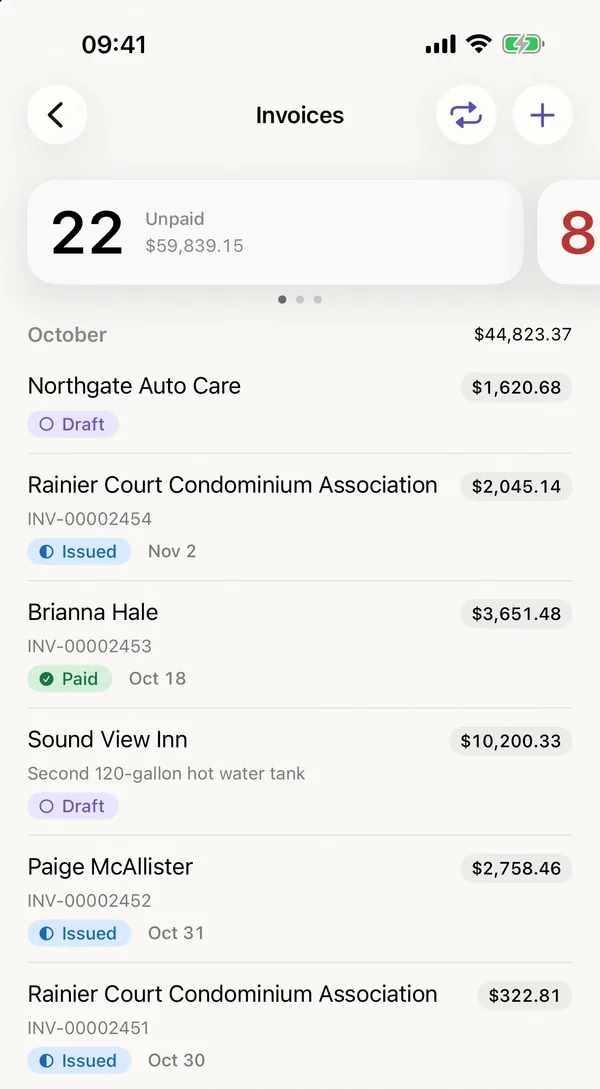
- Articles and stock
- For your goods, miphu keeps articles with prices and units, stock per warehouse and location, purchase orders, goods receipts, delivery notes and stocktaking.
- Variants and lots
- Variants come from up to three attributes, such as size and colour, each with its own number, price and stock. Lots with expiry dates and serial numbers run from goods receipt to delivery note.
- Purchasing
- Send requests for quotation to several suppliers, compare their answers and turn them into purchase orders. For the shortages of an order, miphu drafts purchase orders per supplier.
- Shipping
- With your own Sendcloud account you create shipping and return labels right on the delivery note and track the parcel in miphu.
- Production
- Production orders use up the parts on their bill of materials and book the finished item into stock. The workload per work centre and the planned against actual cost of each order come with it.
- Planning board and subcontracting
- On the planning board you spread production orders across work centres and days and see where capacity runs short. Steps a supplier carries out run through a purchase order, and their cost goes into the post-calculation.
- Remnants
- Remnants by area, length or roll stay in stock with their dimensions, and miphu finds the smallest piece that fits; what is left of it goes back into stock.
- Quality
- In the quality module you keep inspection plans and inspections, put goods on hold, record nonconformities and complaints, manage gauges and evaluate your suppliers.
Team
- Accounts and access rights
- Everyone in your company has their own account, created by the owner or the administration, and belongs to one or more departments. For each person you decide which areas they can access: sales, finance, goods and team.
- Two-factor authentication
- Everyone can turn on two-factor authentication with an authenticator app, and the owner or administration can require it for the whole company.
- Tasks for a department
- Give a task to one person or to a whole department - whoever in the department takes it over has it on their list, and it leaves the lists of the others.
- Notes and templates
- Add notes to customers, orders, invoices and other records and mention colleagues with @, who are then notified. Tasks have subtasks, and templates set up recurring steps such as a new hire’s start in one go.
- Working time
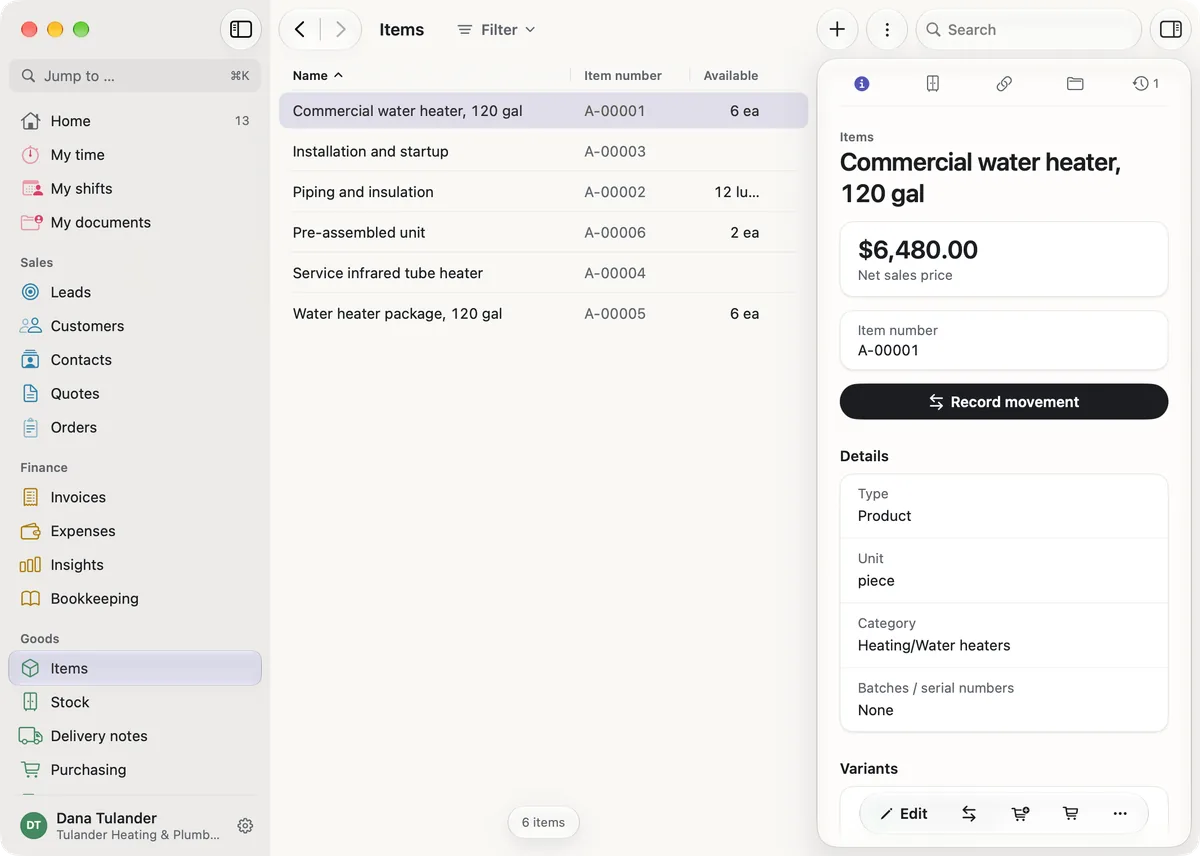
- Your team clocks working time with Start, Break and End, and the times are listed per working day with start, end, break and net hours. The owner turns time tracking on.
- Shifts and absences
- You plan shifts for the whole team, and everyone sees their own under My shifts. Vacation and other absences are requested and decided in the app.
- Recruiting
- Job openings and applications move through their stages with CV and papers, and whoever you hire gets their account and personnel record in one step. After a rejection, miphu proposes deleting the application once the period for your country has passed.
Documents
- Filing
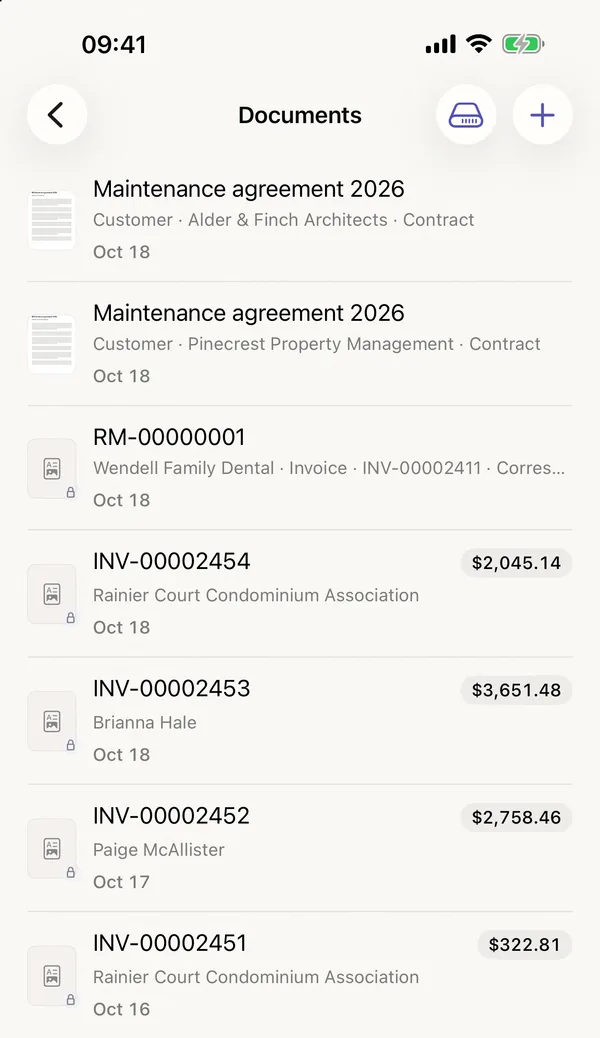
- Contracts, photos and receipts sit right on the customer, the invoice or the article, and miphu files issued invoices, quotes and delivery notes by itself. Search also finds the text inside PDFs and scans.
- Retention
- miphu records the retention period, and a document cannot be deleted before it ends. There are exports for a tax audit and for a data access request.
- Contracts
- Keep contracts with their term and notice period, and miphu reminds the person in charge before the last day to give notice.
- Links
- You send a document by link, with an expiry date and a notification when the link is first opened.
- List export
- Lists such as customers, invoices, items or working time download as CSV or Excel files, with your filters and the columns you see.
Insights
- Revenue and costs
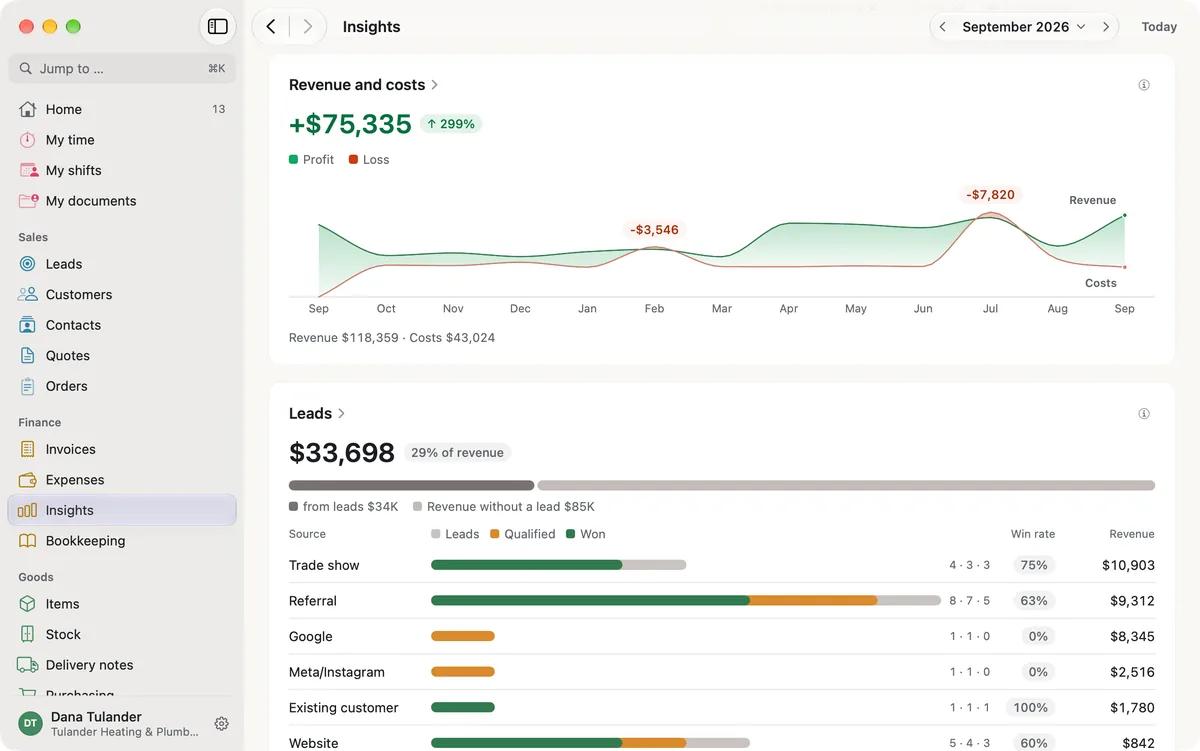
- Revenue and costs appear side by side per month, quarter or year, with the result and the previous year for comparison. Costs are the expenses you record in miphu.
- Lead sources
- For each source you see how many leads came in, how many of them were qualified and won, and the revenue that followed.
- Open and due
- The insights also show what is open or overdue and what falls due in the next seven days, along with a financial forecast.
- Detail views
- Every card opens a detail view with the figures per period, the previous year and a breakdown, for example by customer or cost type. From every figure you reach the list behind it.

- Ask in your own words
- The AI integration connects your AI agent, such as Claude or ChatGPT, to miphu, so you can ask about your business in your own words. You sign in with your own miphu account, and the AI agent sees only what you may see in miphu. Your AI agent reads documents and receipts in full, just like a file you upload to the chat.
- Three levels
- You choose how far your AI agent goes: on “Read” it answers questions, on “Write” it creates and changes records within your permissions, issues quotes and invoices, records payments and absences, plans shifts and files documents, and on “Full” it also deletes, archives, cancels and changes settings.
- Manage and disconnect
- Whatever an AI agent changes, miphu records with the name of the person and the connection. The AI integration is included in every plan, and you can revoke the connection at any time.
For example
- Which invoices are overdue?
- Which quotes are still open?
- Which leads in Nuremberg are still in progress?
- What is due for me this week?
Data in the EU
miphu runs on servers in the European Union, under the GDPR, and the backups stay in the EU too. Files are stored encrypted, with a key of its own for each company. The miphu apps and this website contain no analytics, advertising or tracking services.
For businesses in Germany
Invoices in Germany can be issued as e-invoices: a PDF with the XRechnung data embedded, in the ZUGFeRD format, checked against the official validation rules before it is issued. This covers invoices in euros with SEPA payment - with VAT, exempt or under reverse charge - and small businesses under § 19 UStG can issue them too. For your tax advisor, miphu prepares an export in DATEV format - except for small businesses under § 19 UStG, because the booking batch contains tax keys. The bookkeeping uses SKR 04 or SKR 03, prepares the figures for the VAT return and produces the balance sheet and income statement under the German Commercial Code; for a tax audit, miphu exports the books with their receipts.

Business planning made easy
Every module is included in every plan. Start your subscription in the App Store or in the browser. The first month is free, after that you pay the monthly price of your plan.